Debt Avalanche Spreadsheet: Set It Up Step by Step (Worked Example Included)
Debt avalanche spreadsheet: the 5 columns, the sort formula and one 4-debt example run month by month, with the interest the avalanche saves over the snowball.
By Debt Payoff Planner by Cosmo Suite · Editorial policy
Published · 8 min read
A debt avalanche spreadsheet needs five columns, one sort by interest rate, and a payment schedule that rolls each freed minimum into the next debt. The avalanche sends every extra dollar to the highest APR first, so the sheet's whole job is to keep that order right as balances change.
Doing this by hand works for the first month. Then a debt closes, a rate changes, and you re-sort and redo the dates. That's the point where a spreadsheet that keeps the avalanche order and your payoff dates up to date stops being optional.
The sections below cover the columns, the formulas for Excel and Google Sheets, and one four-debt list run month by month.
Your date, from the example below:
- Payoff order: store card A (26.99%), store card B (24.99%), the car loan (7%), then the medical bill (0%), on sample data (November 2026 start).
- Debt-free month: December 2028, starting November 2026 with $615 a month.
- The change that moves the date most: $100 more a month, which finishes 4 months sooner. Switching from the snowball to the avalanche moved the date by 0 months.
What a Debt Avalanche Spreadsheet Needs
The debt avalanche is a payoff order that sends every extra dollar to the debt with the highest APR first. APR is the yearly interest rate on a debt, and it's the number the whole sheet sorts on. Five columns carry the plan. The first four are things you type in from your statements, and the fifth is a formula.
| Column | What it holds | Why the avalanche needs it |
|---|---|---|
| Debt | The name, such as "Store card A" | Tells you what to pay |
| Balance | What you owe today | Sets how long the debt lasts |
| APR | The yearly interest rate | The sort key: highest first |
| Minimum | The required monthly payment | Always paid, on every open debt |
| Interest this month | Balance × APR ÷ 12 | Shows what waiting costs |
Microsoft's debt spreadsheet page describes the same method in three moves: arrange all debts from highest interest rate to lowest, pay the minimum on everything except the top one, and send all extra money to the top one. The sheet makes those moves repeatable.
Fidelity's guide adds the trade-off: the avalanche generally saves the most interest, but when your rates are similar the gap to the snowball narrows. The example below puts a dollar figure on that.
Running It on Real Numbers
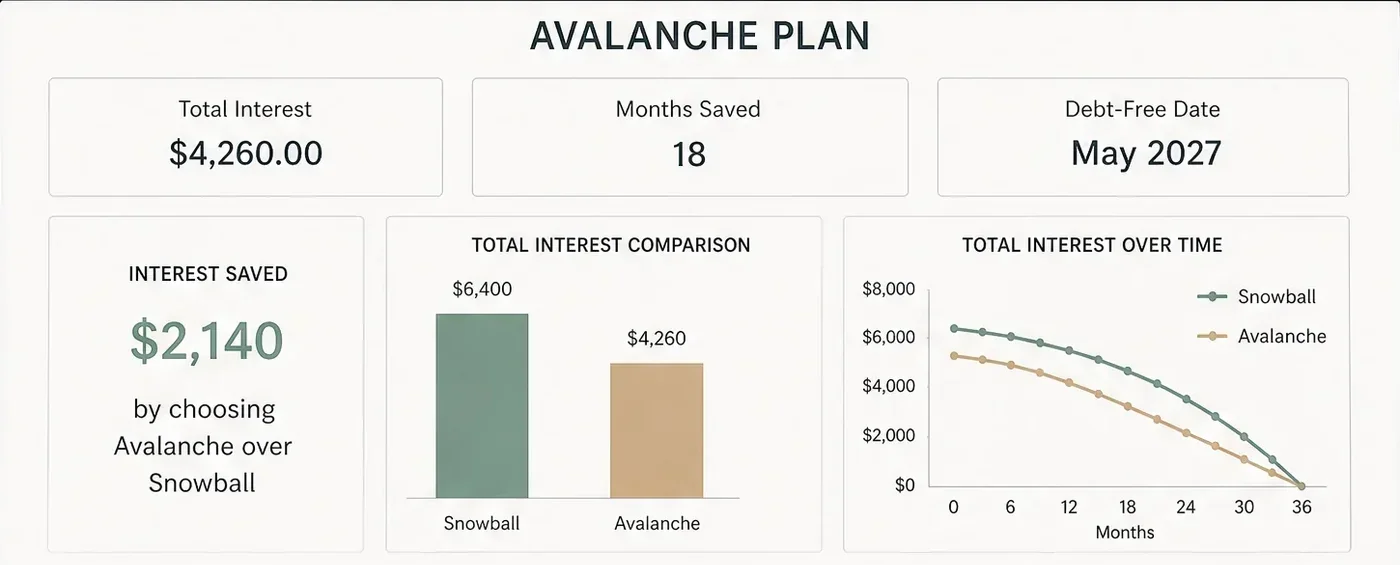
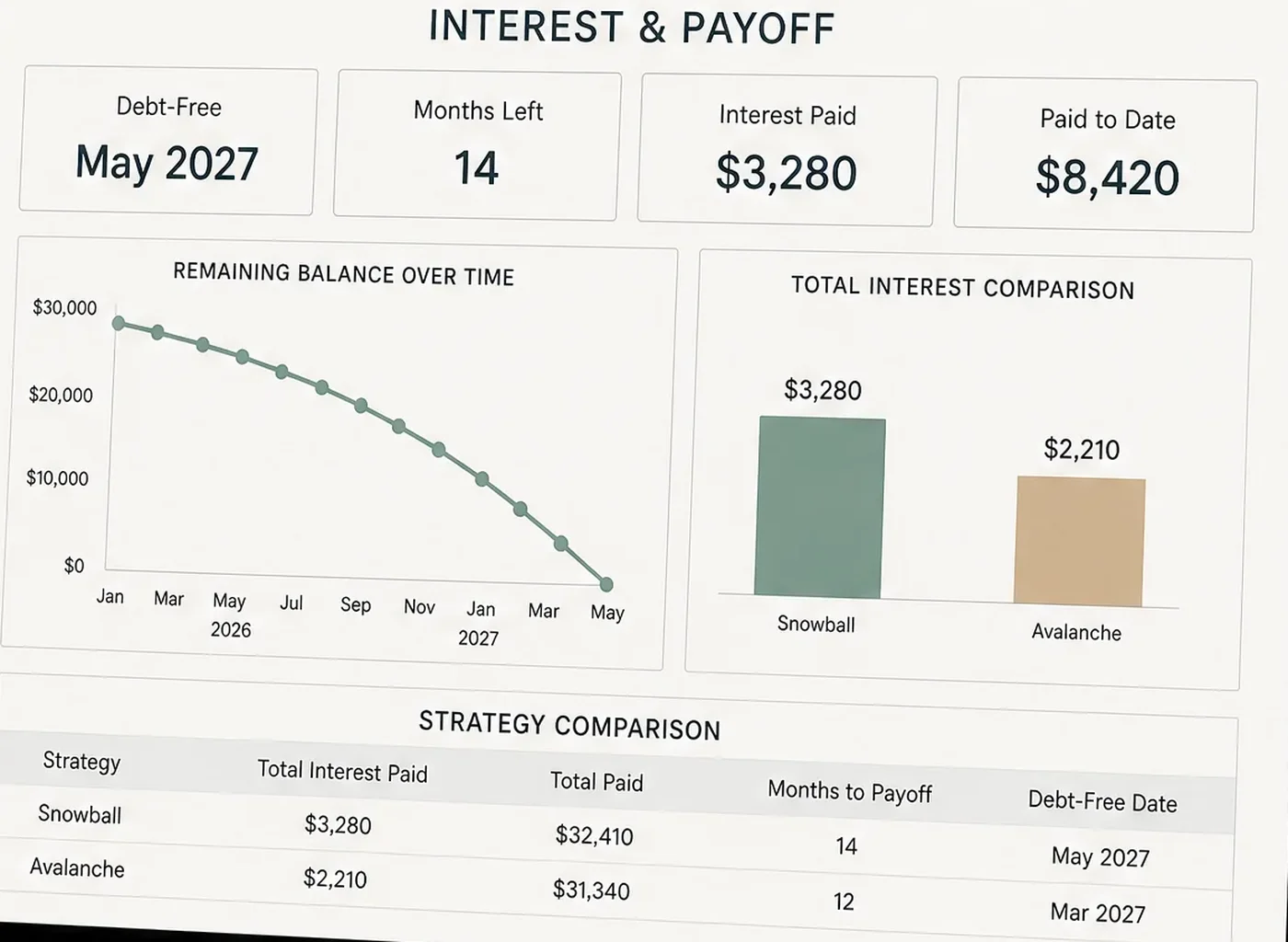
On our example list, the avalanche paid $1,323 in interest, the snowball paid $1,517, and both plans finished in December 2028. The avalanche saved $194.
Assumptions (sample data): the plan starts in November 2026. Interest is charged monthly at APR ÷ 12 on every open balance. The minimums total $415, plus $200 extra, so $615 a month stays fixed. A freed minimum rolls into the next debt.
| Debt | Balance | APR | Minimum |
|---|---|---|---|
| Medical bill | $1,400 | 0% | $50 |
| Store card A | $850 | 26.99% | $35 |
| Store card B | $2,300 | 24.99% | $65 |
| Car loan | $9,600 | 7% | $265 |
| Debt | Avalanche paid off | Snowball paid off |
|---|---|---|
| Store card A | Month 4 (Feb 2027) | Month 4 (Feb 2027) |
| Store card B | Month 12 (Oct 2027) | Month 15 (Jan 2028) |
| Car loan | Month 25 (Nov 2028) | Month 26 (Dec 2028) |
| Medical bill | Month 26 (Dec 2028) | Month 9 (Jul 2027) |
| Total interest | $1,323 | $1,517 |
The snowball finishes the $1,400 medical bill 17 months before the avalanche does, since it sorts by balance and the bill is small. The avalanche leaves that 0% bill for last, so it pays $194 less. Both land on December 2028 because the same $615 goes out every month.
Set It Up in 5 Steps
Build the sheet in this order, and consider testing it against the example above, so you know it matches before you trust it with your own numbers.
Step 1: Enter the Debts
Type one row per debt in columns A to D: name, balance, APR, minimum. Use the figures from your latest statements, and include small debts such as the medical bill, since they change the order of the schedule even when they don't change the sort. Mark the example's start month in a cell you can change.
In the sheet: the debt list on the overview tab, one row per debt, up to 40.
Step 2: Add the Interest Column
In column E, enter =B2*C2/12 and copy it down. For store card A that gives $850 × 26.99% ÷ 12 = $19.12 in the first month. Check one row by hand once, so you trust the rest.
In the sheet: the interest figure is calculated for you from the balance and the rate.
Step 3: Sort by APR, Highest First
Put the sorted list beside the original, so your typed rows stay untouched.
- Google Sheets:
=SORT(A2:D5, 3, FALSE)sorts by the APR in column C, highest first. - Excel 2021 and Microsoft 365:
=SORT(A2:D5, 3, -1). - Older Excel: there's no SORT, so add a rank column:
=RANK(C2,$C$2:$C$5,0)+COUNTIFS($C$2:$C$5,C2,$B$2:$B$5,"<"&B2). The second part breaks ties by the smaller balance.
In the sheet: the avalanche tab sorts itself from the same debt list.
Step 4: Build the Schedule
Add one row per month. Each debt's new balance is the old balance, plus its interest, minus its payment: =MAX(0, B2+B2*C2/12-payment). Every open debt gets its minimum. The top debt on the sorted list also gets the $200 extra.
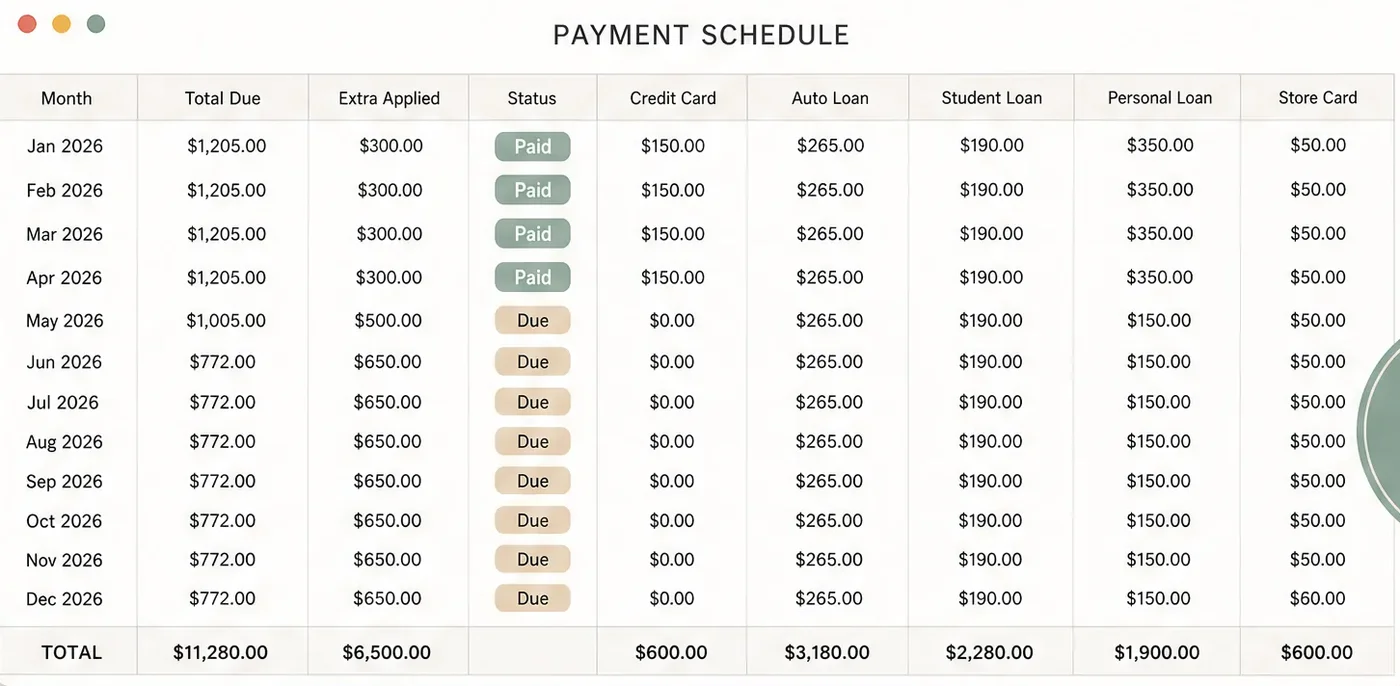
In the sheet: the payment schedule tab lists every month with each debt's payment and its paid or due status.
Step 5: Roll Each Freed Minimum Forward
When a debt hits zero, its minimum joins the extra payment, and the next debt in the sorted list receives the sum. For example, store card A's $35 joins the $200 in month 5, so store card B gets $65 + $35 + $200 = $300 from then on. The rollover is that step. If your hand-built totals don't match the schedule, check it first.
In the sheet: the rollover is built into the schedule, so each payoff pushes the next debt forward.
Why Sort by Rate and Not by Interest Dollars?
Sort by APR because each dollar you send to a debt saves its rate, not its monthly interest bill. A big balance at a low rate can charge the most dollars and still be the wrong target.
| Debt | Balance | APR | Interest in month 1 |
|---|---|---|---|
| Store card A | $850 | 26.99% | $19.12 |
| Store card B | $2,300 | 24.99% | $47.90 |
| Car loan | $9,600 | 7% | $56.00 |
| Medical bill | $1,400 | 0% | $0.00 |
The car loan charges the most dollars in month 1, but at 7% it's the cheapest money you owe. We ran the example with the car loan first, then store card B, then store card A, as a sheet sorted by "interest this month" would. It paid $2,070 in interest and finished in month 27: $747 more than the avalanche, and one month later.
Keep column E for information and sort on column C.
What if Two Debts Have the Same Rate?
Pay the smaller balance first. With equal APRs, either order costs the same total interest, so the tie-break only decides which debt closes sooner. We checked this on a sample list with two 22% cards ($3,000 and $1,200), a $5,000 loan at 9% and $150 extra a month (October 2026): both orders paid $1,377.
In Google Sheets, =SORT(A2:D5, 3, FALSE, 2, TRUE) sorts by APR and then by balance, smallest first. In Excel 365, use =SORTBY(A2:D5, C2:C5, -1, B2:B5, 1). You get the early win and lose nothing.
When Is a Free Template or Paper Enough?
Use paper or a free template when you have a few debts and rarely change them. Microsoft publishes a free debt template inside Excel, and Vertex42's free debt reduction calculator supports the avalanche, the snowball and a custom order, for up to 10 creditors in its free version (checked October 3, 2026).
Those fit a one-time plan. A build-it-yourself sheet or a ready-made file starts to pay off when you have more than ten debts, when your rates change, or when you want the snowball and the avalanche next to each other without rebuilding anything. Each step above is also a fair test of any template: if it can't show you the sorted order and the rollover, you're doing that part by hand.
What Moves Your Debt-Free Date More Than the Sort?
The size of your extra payment moves the date far more than the sort does. Here's the example list at four extra amounts.
| Extra per month | Avalanche | Snowball | Interest saved by the avalanche |
|---|---|---|---|
| $100 | 31 months, $1,776 | 32 months, $1,954 | $178 |
| $200 | 26 months, $1,323 | 26 months, $1,517 | $194 |
| $300 | 22 months, $1,075 | 22 months, $1,254 | $179 |
| $400 | 19 months, $912 | 19 months, $1,073 | $161 |
The avalanche saved between $161 and $194 at every level. Adding $100 moved the date 4 months. Pick the extra first, then the sort. Choose an amount you can repeat in an expensive month.
Re-run the sheet when a rate changes. A promotional rate ending or a new store card can reorder the list. For context, card accounts that were charged interest averaged 22.15% in the second quarter of 2026, according to the Federal Reserve's G.19 consumer credit release. A payoff schedule that re-sorts when you change an APR saves you from re-doing the order by hand.
Get help if the minimums don't fit. The FTC's page on how to get out of debt suggests a credit counseling program and warns that nonprofit status alone doesn't make a service free or legitimate.
How We Put This Together
We're the Cosmo Suite team that built Debt Payoff Planner; read about us and how to contact us. The example was calculated month by month on 8 October 2026 with the assumptions stated, and sources were checked on the dates listed, under our editorial policy. This is general information, not financial advice. For your situation, a nonprofit credit counselor (an NFCC member) can help.
Where Debt Payoff Planner Fits
Building the five columns is a one-time job. Keeping them right through every payoff and rate change is the part you repeat.
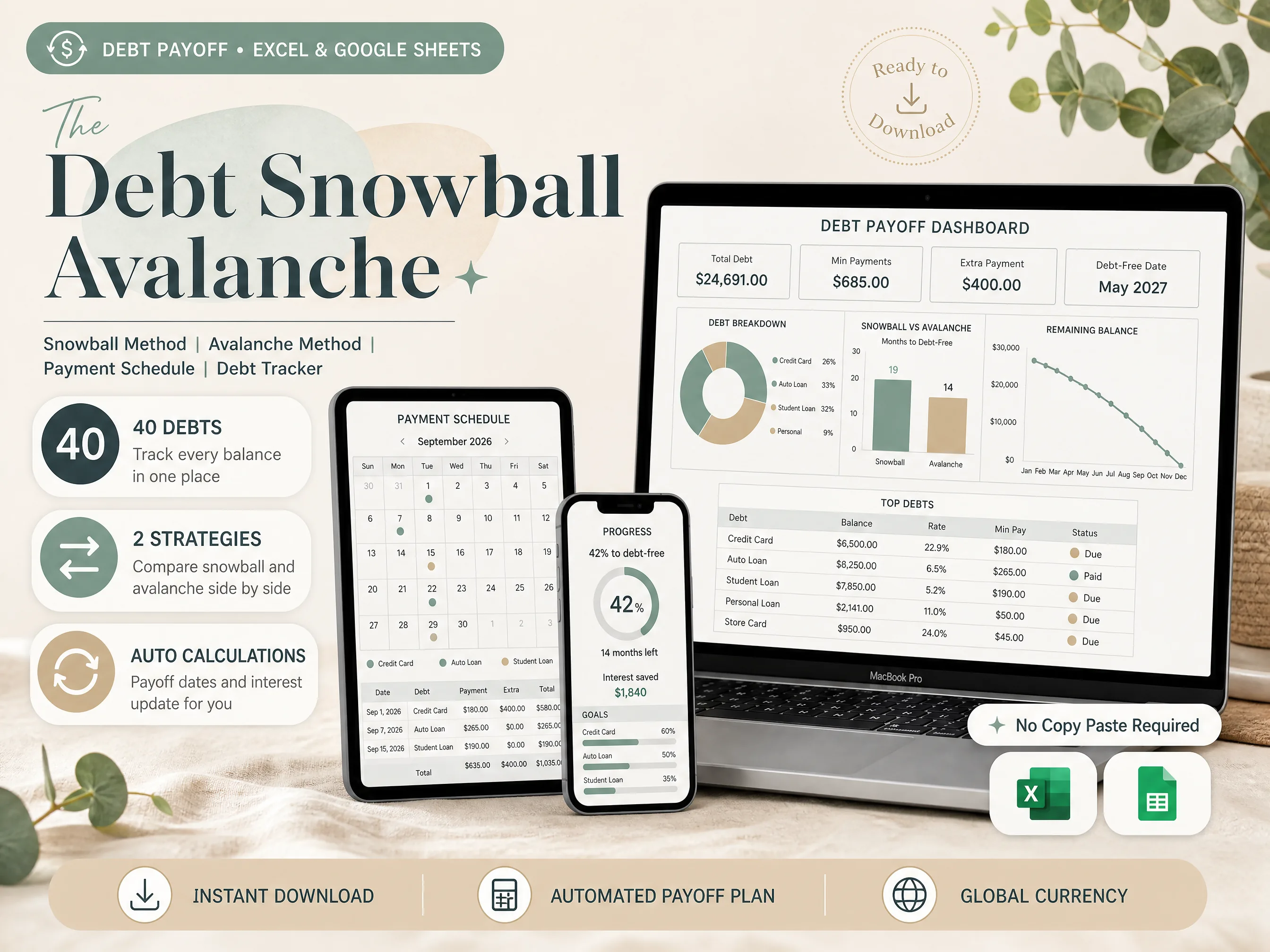
Debt Payoff Planner, the snowball and avalanche spreadsheet for Excel and Google Sheets, holds up to 40 debts in one file and shows the snowball and the avalanche side by side. It builds an auto-sorted payment schedule, and the interest and debt-free date update as your balances fall. Both an Excel file and a Google Sheets copy are included, and no bank account is linked.
If you're still choosing a format, start with what a debt payoff spreadsheet needs and how it picks your order. If you can't decide between the two orders, read how the snowball and avalanche compare on three debt lists. You can also preview every tab of the snowball and avalanche spreadsheet before you buy.
Frequently asked questions
Do I need a spreadsheet to use the debt avalanche?
No. You can sort your debts by APR on paper and follow the order. A spreadsheet earns its place after the first payoff, when the order, the rollover and your debt-free month all need recalculating. It does that in seconds and keeps the arithmetic where you can check it.
How much more does the avalanche save than the snowball?
On our example list it saved $194 in interest and finished in the same month. That's one list, so run your own before you decide. The saving grows when a large balance carries a high rate and the snowball leaves it for last, and it shrinks toward zero when your rates sit close together.
Where does a zero-interest balance go in an avalanche?
Last, because waiting costs nothing. It still gets its minimum every month. If the zero-interest rate ends on a known date, change the APR in your sheet for the months after that date. The sort then moves the balance up on its own.
Which formula sorts debts by interest rate in Google Sheets and Excel?
In Google Sheets, =SORT(A2:D5, 3, FALSE) sorts four debts by the APR in column C, highest first. In Excel 2021 and Microsoft 365, the same job is =SORT(A2:D5, 3, -1). Older Excel versions have no SORT, so rank the rates with a helper column.
Sources
- Vertex42: Debt Reduction Calculator (official page)
- Microsoft 365: Debt spreadsheet (avalanche method steps)
- Fidelity Viewpoints: Debt snowball method vs. debt avalanche method (January 21, 2026)
- Federal Reserve Board: G.19 Consumer Credit, release of September 8, 2026
- Federal Trade Commission: How To Get Out of Debt