Debt Payoff Spreadsheets That Pick Your Order (Matched to Your Debts)
Debt payoff spreadsheet basics: the 6 columns it needs, how it picks your payoff order, and a 4-card example worked out to a real debt-free month.
By Debt Payoff Planner by Cosmo Suite · Editorial policy
Published · 8 min read
A debt payoff spreadsheet answers two questions. Which debt receives your extra money first, and in which month does the final balance reach zero? The rest of the file supports those two answers.
A list of debts with a total at the bottom is useful for approximately one day. After that you're guessing again, unless the sheet also sorts the list and calculates the month each balance disappears. A debt spreadsheet that sorts your list and dates each payoff does both, so the decision is made for you every month.
The useful ones need only six columns and one number from you each month. This post covers those columns and the sorting rule, then works one full example through to a real date.
Key takeaways from the example below:
- Payoff order: Card A, Card B, Card C, Card D (smallest balance first).
- Debt-free month: June 2029, starting November 2026.
- The change that moves the date most: another $100 of extra payment, which brings it forward 6 months.
Debt Payoff Spreadsheets at a Glance
The right spreadsheet depends on how many debts you carry and whether you've already chosen a payoff method.
| Your situation | What the sheet needs | What to skip | Best for |
|---|---|---|---|
| 1 loan, fixed payment | An amortization table with an extra-payment cell | Payoff order logic | Car loans, one student loan |
| 2-4 cards, one method in mind | 6 columns plus a snowball or avalanche sort | Charts you won't read | Getting started this week |
| 5-10 mixed debts | Both methods side by side, a dated schedule | Category budgets | Cards plus loans plus a medical bill |
| A couple merging lists | Room for every debt in one file, owner noted per row | Separate files per person | Shared plans |
Most people land in the second or third row. That's where automatic sorting saves genuine time, because the priority changes every time a debt is eliminated.
Running It on Real Numbers
On these four example debts, $250 extra a month means debt-free in June 2029 with the snowball, or May 2029 with the avalanche. They're illustrative numbers, and every assumption is listed below.
| Debt | Balance | APR | Minimum |
|---|---|---|---|
| Card A | $600 | 29% | $25 |
| Card B | $2,400 | 18% | $60 |
| Card C | $4,100 | 24.9% | $105 |
| Card D | $7,800 | 21.5% | $195 |
| Total | $14,900 | $385 |
Sample accounts only (Nov 2026 start). The Federal Reserve's G.19 consumer credit release put the average rate on card accounts that pay interest at 22.15% (first quarter of 2026). For context, the example rates sit on either side of that national figure.
Methodology: we calculated every month separately, from November 2026. Each minimum stays fixed and interest is charged monthly at APR ÷ 12. The $250 extra goes to the debt at the top of the order. On top of the $385 in minimums, that's $635 to debt every month. The baseline row pays minimums only, with freed payments rolled over, so the $385 total stays the same.
| Plan | Debt-free in | Debt-free month (start Nov 2026) | Total interest |
|---|---|---|---|
| Minimums, freed payments rolled over | 69 months | July 2032 | $11,566 |
| Snowball, $250 extra | 32 months | June 2029 | $4,801 |
| Avalanche, $250 extra | 31 months | May 2029 | $4,543 |
Compared with that baseline, paying $250 extra cuts 37 to 38 months and over $6,700 of interest, whichever order you choose. The order itself is worth $258 and one month. The avalanche wins on money, as it always does when rates differ. The margin is smaller than people expect, because the four rates sit within 11 points of each other.
[Original data] Here is when each card reaches zero under the two orders, from the same calculation:
| Debt | Snowball payoff | Avalanche payoff |
|---|---|---|
| Card A | Month 3 (Jan 2027) | Month 3 (Jan 2027) |
| Card B | Month 10 (Aug 2027) | Month 31 (May 2029) |
| Card C | Month 20 (Jun 2028) | Month 15 (Jan 2028) |
| Card D | Month 32 (Jun 2029) | Month 29 (Mar 2029) |
[Unique insight] Where the methods differ most is the wait between wins, since the final dates sit one month apart. After Card A, the snowball's next payoff arrives 7 months later. The avalanche makes you wait 12 months for its second one. If a year without visible progress is when you'd usually give up, that gap matters more than $258.
The size of the extra payment moves the date far more than the method does:
| Extra per month | Snowball | Avalanche |
|---|---|---|
| $100 | 46 months, $7,313 interest | 46 months, $6,963 interest |
| $250 | 32 months, $4,801 interest | 31 months, $4,543 interest |
| $350 | 26 months, $3,929 interest | 26 months, $3,715 interest |
| $500 | 21 months, $3,101 interest | 21 months, $2,933 interest |
Going from $250 to $350 extra moves the date 6 months. Switching from snowball to avalanche moves it one.
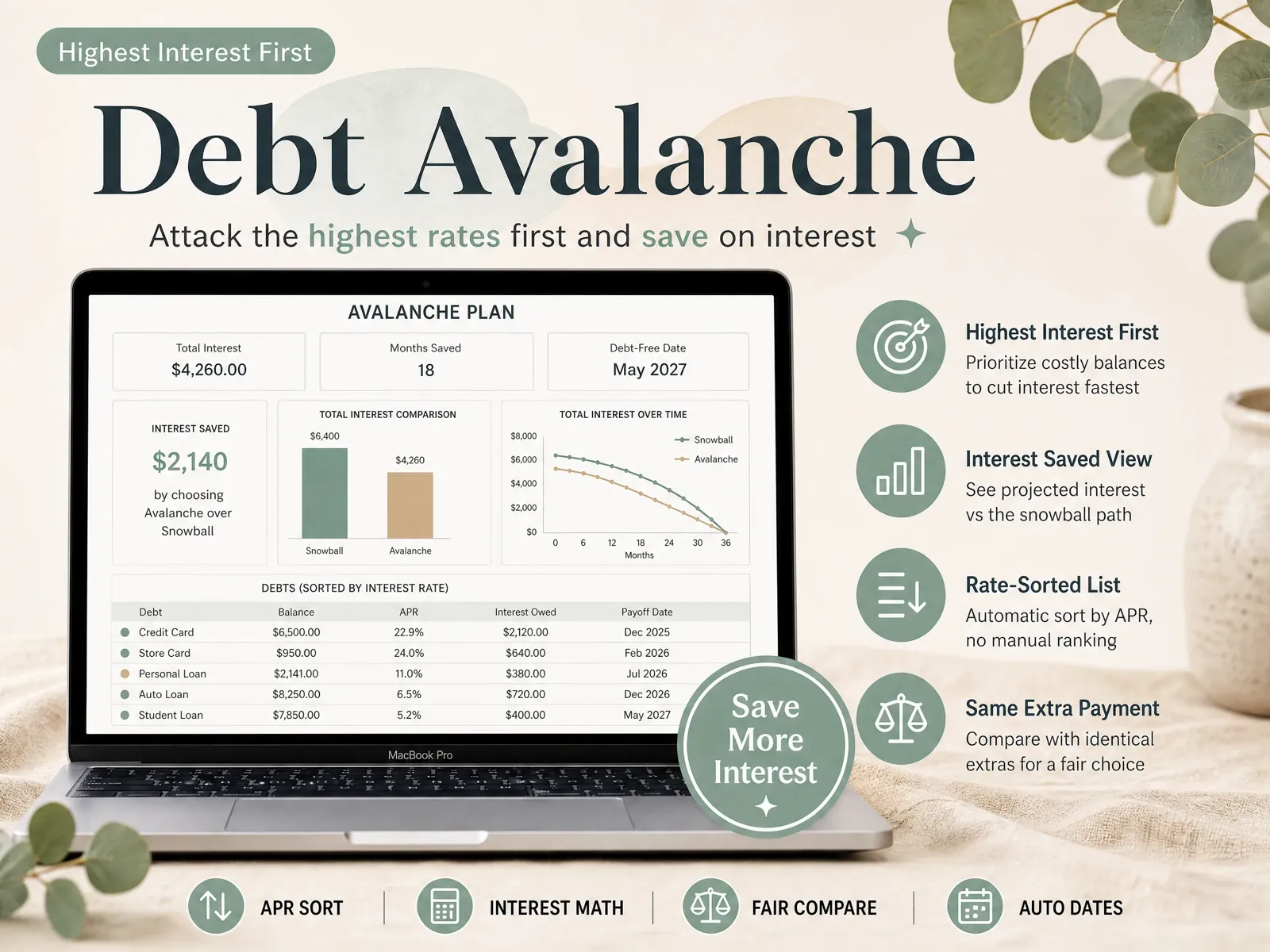
The 6 Columns Every Payoff Sheet Needs
A working debt payoff spreadsheet needs six columns per debt, and only three of them need typing.
- Debt name. Something you'll recognize at a glance, such as "Visa ending 4410", "Car loan" or "Dr. Patel". If two people share the plan, add the owner. In the sheet: the debt list on the overview tab, one row per debt.
- Current balance. Take it from your latest statement, not from memory, and update it monthly, for example after your payments post. In the sheet: the balance column feeds every total and every payoff date.
- APR. The yearly interest rate on that debt. Use the purchase APR for cards, and note any no-interest promotion with its end date, because the rate jumps when it expires. In the sheet: the rate column the avalanche sorts by.
- Minimum payment. The amount required to stay current. Missing it costs a fee and can damage your credit, so the sheet always pays these first. In the sheet: the minimums total on the overview.
- Payoff order. A number from 1 down the list. You shouldn't type it yourself; the sheet sorts by smallest balance (snowball) or highest rate (avalanche). In the sheet: the snowball and avalanche tabs, each sorted automatically.
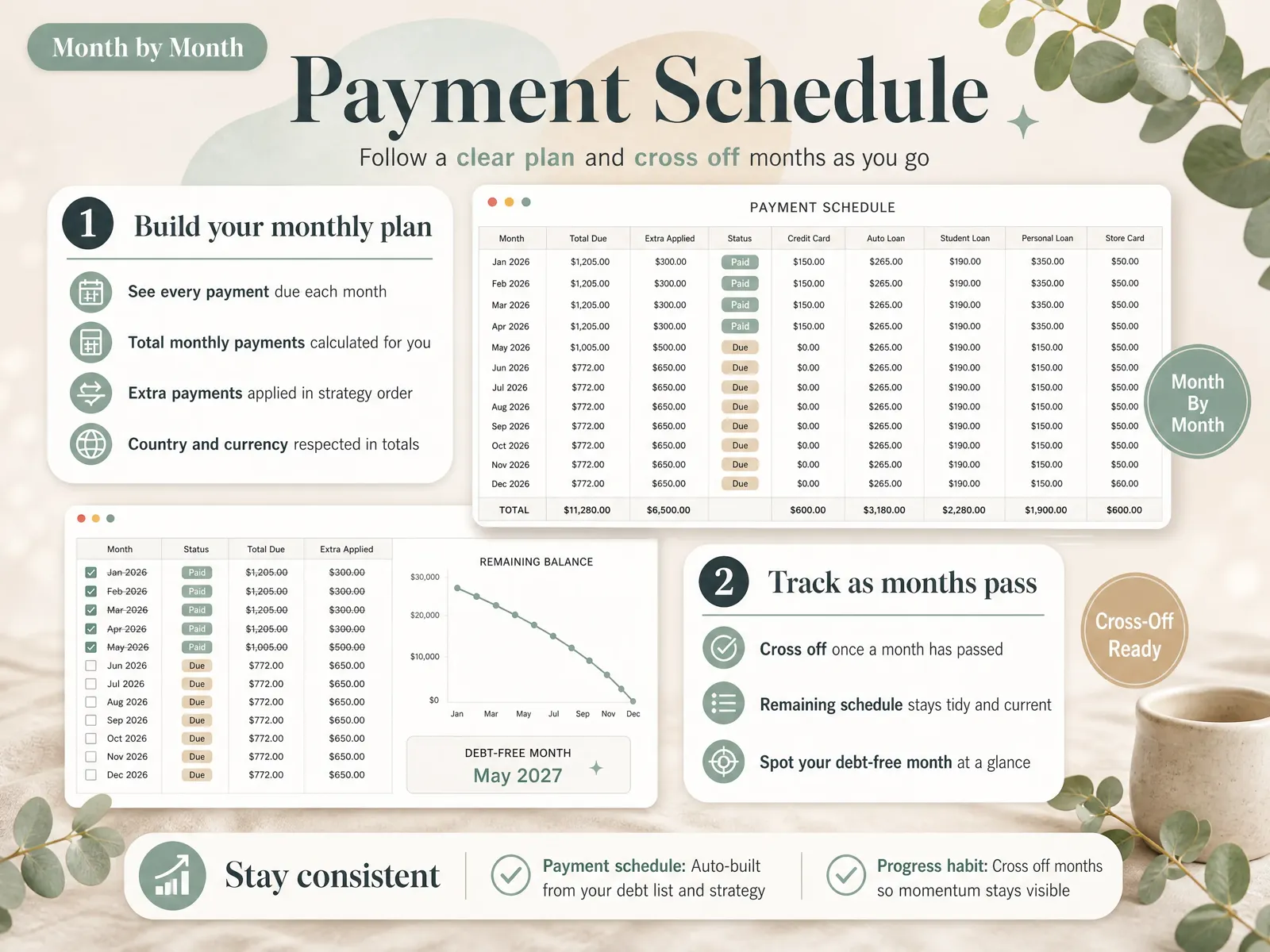
- Payoff month. The month each debt reaches zero. The last one is your debt-free date. In the sheet: the payment schedule, month by month.
Plus one cell outside the table: your extra payment, the amount above all the minimums. As the example showed, it's the most powerful number in the file.
How the Sheet Picks Your Order
The order comes from one rule applied to your list. The debt snowball is the method that sorts by balance, smallest first. The debt avalanche is the method that sorts by APR, highest first. Every month, all minimums get paid, then the entire extra payment goes to debt number 1.
When debt number 1 reaches zero, its old minimum joins the extra. The rollover is that handover of a freed payment to the next debt. In our example, Card A's $25 minimum plus the $250 extra means Card B receives $335 a month once Card A is gone in month 3.
Doing that manually works for a month or two. It breaks when a balance changes, a new purchase appears, or you want to compare both strategies. A sheet that re-sorts automatically prevents the classic mistake of sending the extra to the wrong card for three months.
Want to check the logic against a free tool? Vertex42's debt reduction calculator offers identical snowball and avalanche orders, which makes it a reasonable cross-check for your date.
What Actually Decides Whether You Finish
When a payoff plan stalls, the mathematics is rarely the reason. Usually it comes down to a few everyday habits.
The extra payment is a number you can repeat. $250 every month beats $600 once and then nothing. Choose an amount that survives a difficult month and increase it later.
New charges stop, or the date moves. Every dollar added to a card pushes its payoff month further out. If a card is still in use, watch that row's date.
You see progress early. In research Remi Trudel described in Harvard Business Review, people stayed more motivated when they concentrated on one debt at a time. The study appeared in the Journal of Consumer Research. A University of Alberta summary reports that consumers who concentrated repayment on one account paid down card debt 15 percent faster than those who spread payments equally. The team drew on credit data from 6,000 Americans plus controlled experiments.
The date is visible. A visible debt-free month is easier to protect than an indefinite "someday". A payment schedule that shows your debt-free month gives you that; a chart alone doesn't.
You ask for help early if the numbers don't work. If the minimums alone are more than you can pay, a sheet won't fix that. The FTC's guide on how to get out of debt explains how to find a reputable credit counselor. It also warns that debt management plans can take 48 months or more.
How We Put This Together
We're the Cosmo Suite team that built the Debt Payoff Planner; you can read about us and how to contact us. The example was calculated month by month on 3 October 2026, with every assumption stated above. Sources were checked the same day under our editorial policy. Your numbers will differ, so run your own. This is general information, not financial advice. For your situation, talk to a nonprofit credit counselor (an NFCC member).
Where the Debt Payoff Planner Fits
Most people already understand they should pay more. The difficult part is knowing which debt gets the extra money this month and when you'll be finished. Rebuilding that calculation every time something changes is exhausting.
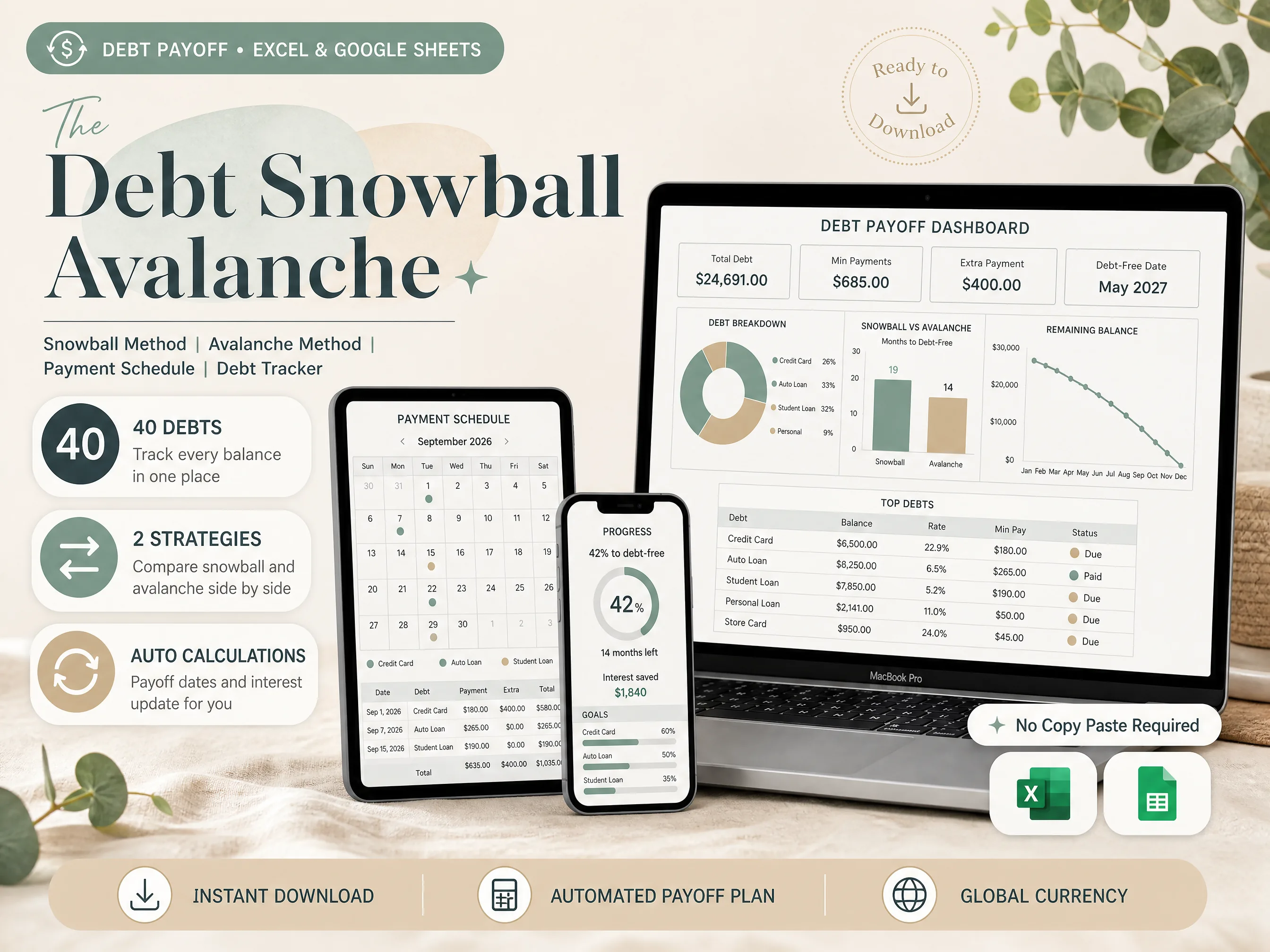
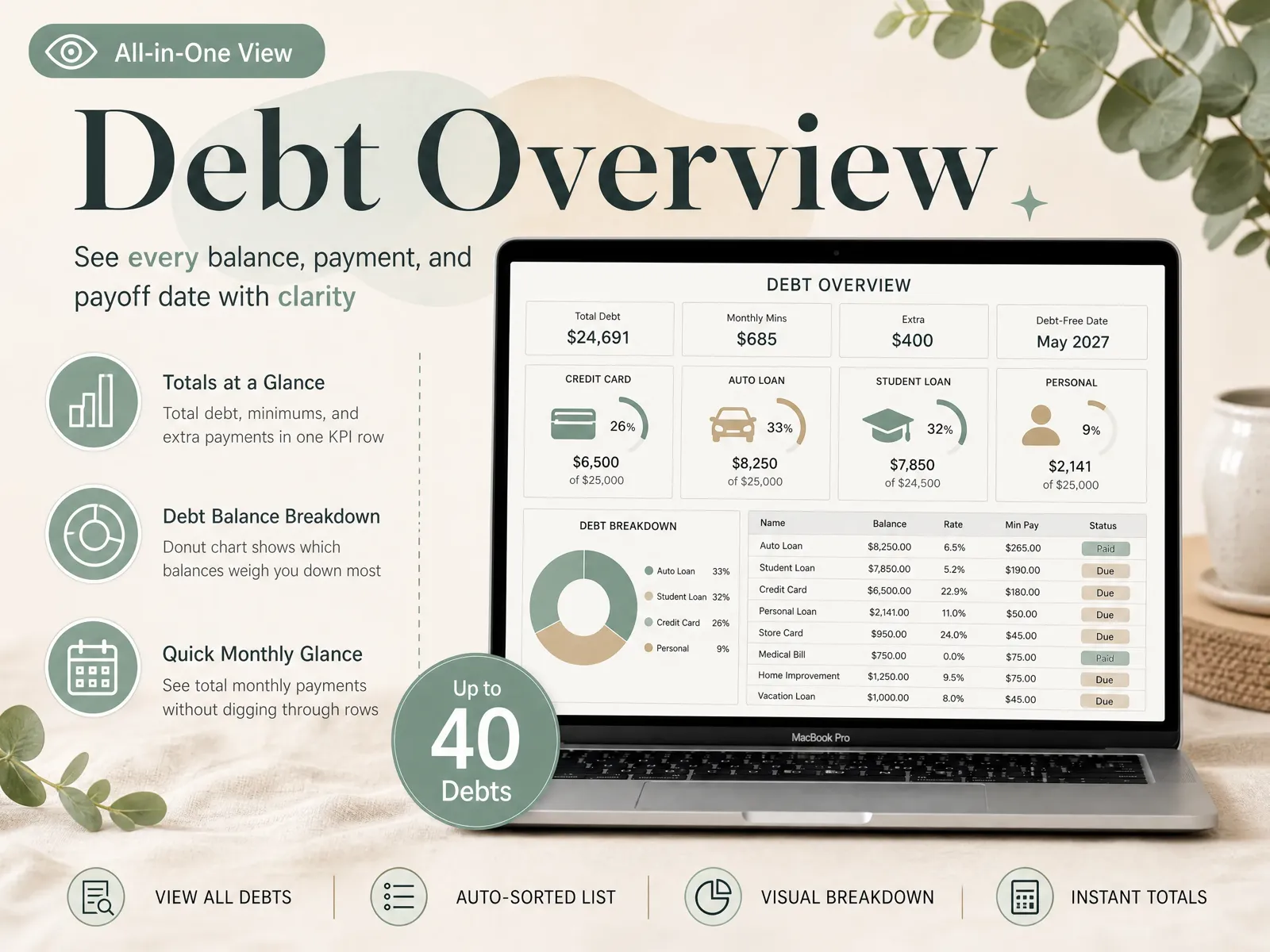
That's the job of our debt payoff spreadsheet. You can track up to 40 debts in one file. Snowball and avalanche run side by side, so you see what the order is worth on your own numbers before choosing. The payment schedule is sorted automatically, and the interest and debt-free date update as balances fall.
It comes in both Excel and Google Sheets, so it works with whatever you already use. You type each debt's balance, rate and minimum once, then update balances monthly.
To set up the smallest-first version step by step, this guide to setting up a debt snowball spreadsheet without writing formulas walks through it. You can also preview every tab of the snowball and avalanche payoff spreadsheet before you decide.
Frequently asked questions
Is a spreadsheet better than a debt payoff app?
It depends on what you need. An app wins if you want bank sync and payment reminders on your phone. A spreadsheet wins if you'd rather not link your bank, want to see the math behind your date, and don't want a yearly subscription. Either way, the payoff order and the date come from the same arithmetic.
How many debts can I put in one spreadsheet?
As many as you have, as long as each one gets its own row with a balance, APR and minimum. Most people list 3 to 10. Our sheet holds up to 40 debts in one file, which covers couples merging two lists and anyone carrying several store cards and medical bills.
Should I use snowball or avalanche in my spreadsheet?
Run both on your own numbers before you choose. In our 4-card example the avalanche saved $258 and one month over 31 months. When your rates are close, the gap is small and the snowball's early wins may matter more. When one big balance carries a much higher rate, the avalanche gap grows.
How often should I update my debt payoff spreadsheet?
Once a month is enough for most people. After your payments post, type in each new balance from your statements and check the month off. Update it straight away if something changes mid-month: a new charge, a rate change, a paid-off debt or a different extra payment. The date recalculates from there.
Sources
- Harvard Business Review: Research: The Best Strategy for Paying Off Credit Card Debt (Remi Trudel, 2016)
- University of Alberta Folio: The secret to paying off credit card debt (January 9, 2017)
- Federal Reserve: G.19 Consumer Credit (release of September 8, 2026)
- Federal Trade Commission: How To Get Out of Debt
- Vertex42: Debt Reduction Calculator