How to Set Up a Debt Snowball Spreadsheet (Without Writing Formulas)
Debt snowball spreadsheet setup in 5 steps for Excel or Google Sheets, with the rollover explained and a 4-debt example worked out to April 2029.
By Debt Payoff Planner by Cosmo Suite · Editorial policy
Published · 7 min read
A debt snowball spreadsheet needs no formulas from you if the file already has them. List every debt, sort by balance, pay the minimums on all of them, and send every extra dollar to the smallest one. When it's eliminated, its payment rolls into the next.
People usually get stuck at the rollover. It changes the payment amounts every few months, and a homemade sheet typically goes wrong right there. A snowball spreadsheet that handles the rollover for you takes that step off your hands.
Search for a snowball spreadsheet and page one is mostly product listings. They show finished sheets, with no explanation of how to fill them in. This guide covers the setup, step by step, with one example calculated all the way to its last payment.
Key takeaways from the example below:
- Payoff order: medical bill, store card 1, store card 2, car loan.
- Debt-free month: April 2029, starting November 2026.
- The change that moves the date most: $100 more extra a month, which brings it forward 4 months.
Snowball Setup at a Glance
Here's what each step involves and where people usually slip.
| Step | What you do | Where it lives in the sheet | Common slip |
|---|---|---|---|
| 1. Gather | Pull every statement: balance, APR, minimum | Nowhere yet | Forgetting a medical bill or store card |
| 2. List | One row per debt | Overview tab | Rounding balances from memory |
| 3. Sort | Smallest balance first | Snowball tab, automatic | Sorting by rate out of habit |
| 4. Extra | Set one monthly extra amount | One input cell | Picking a number you can't repeat |
| 5. Roll over | Freed minimums join the extra | Payment schedule, automatic | Letting a freed payment drift back into spending |
Delegate steps 3 and 5 to the sheet, since a manual setup usually breaks at those two.
Running the Snowball on an Example
The debt snowball is a payoff method that orders debts by balance, smallest first. All spare money goes to the top one. Here it is on one example, with every assumption stated. These are example numbers, not typical ones.
| Debt | Balance | APR | Minimum |
|---|---|---|---|
| Medical bill | $480 | 0% | $40 |
| Store card 1 | $1,150 | 29.9% | $35 |
| Store card 2 | $2,300 | 27% | $70 |
| Car loan | $14,200 | 7% | $340 |
| Total | $18,130 | $485 |
Sample accounts (Nov 2026 start). This person pays the $485 in minimums plus $200 extra, so $685 a month.
Methodology: we calculated each month separately from November 2026. Minimums are held fixed, interest is charged monthly at APR ÷ 12, and the extra goes to the smallest remaining balance.
| Months | Gets the extra | Payment to it | Paid off |
|---|---|---|---|
| 1-2 | Medical bill | $240 | Month 2 (Dec 2026) |
| 3-7 | Store card 1 | $275 | Month 7 (May 2027) |
| 8-14 | Store card 2 | $345 | Month 14 (Dec 2027) |
| 15-30 | Car loan | $685 | Month 30 (Apr 2029) |
Notice the middle column. Each payment is the previous one plus the minimum that just got freed: $240 + $35 = $275, then $275 + $70 = $345, then $345 + $340 = $685. The rollover is that growing number, and it's the reason the method is called a snowball.
Total interest comes to $2,181. Compare that with paying minimums only, while still rolling freed payments over so the $485 total stays the same. The identical debts then take 47 months and $4,267 in interest.
[Original data] The debt avalanche is the opposite order: highest APR first. Here is the same list calculated that way:
| Debt | Snowball payoff | Avalanche payoff |
|---|---|---|
| Medical bill | Month 2 (Dec 2026) | Month 12 (Oct 2027) |
| Store card 1 | Month 7 (May 2027) | Month 6 (Apr 2027) |
| Store card 2 | Month 14 (Dec 2027) | Month 14 (Dec 2027) |
| Car loan | Month 30 (Apr 2029) | Month 30 (Apr 2029) |
[Unique insight] On a list like this one, choosing the snowball costs very little. Both orders finish in month 30, and the avalanche saves just $77 ($2,104 against $2,181). That's because the 0% bill and the 7% car loan sit at opposite ends either way. What the snowball buys is a first win in month 2 instead of month 6.
The amount of extra matters more than the method. $100 extra finishes in month 36; $300 extra finishes in month 26.
The 5-Step Setup, Without Formulas
The setup is five steps: gather statements, list each debt, sort smallest first, set one extra payment, and let the rollover happen. None of it needs a formula if the sheet already has them.
Step 1: Gather Every Statement First
Get the current balance, APR and minimum for every debt, from statements or the lender's app. Include the ones that feel small, such as medical bills, store cards and buy-now-pay-later balances.
In the sheet: nothing yet. Have the numbers beside you before you open the file.
Step 2: List One Debt per Row
Type each debt into its own row: name, balance, APR, minimum. Use exact balances to the dollar. Approximate numbers from memory are how a plan drifts off by months.
In the sheet: the debt list on the overview tab, up to 40 rows.
Step 3: Sort Smallest Balance First
The snowball orders debts by balance only, smallest at the top. If two balances are nearly identical, put the higher APR first.
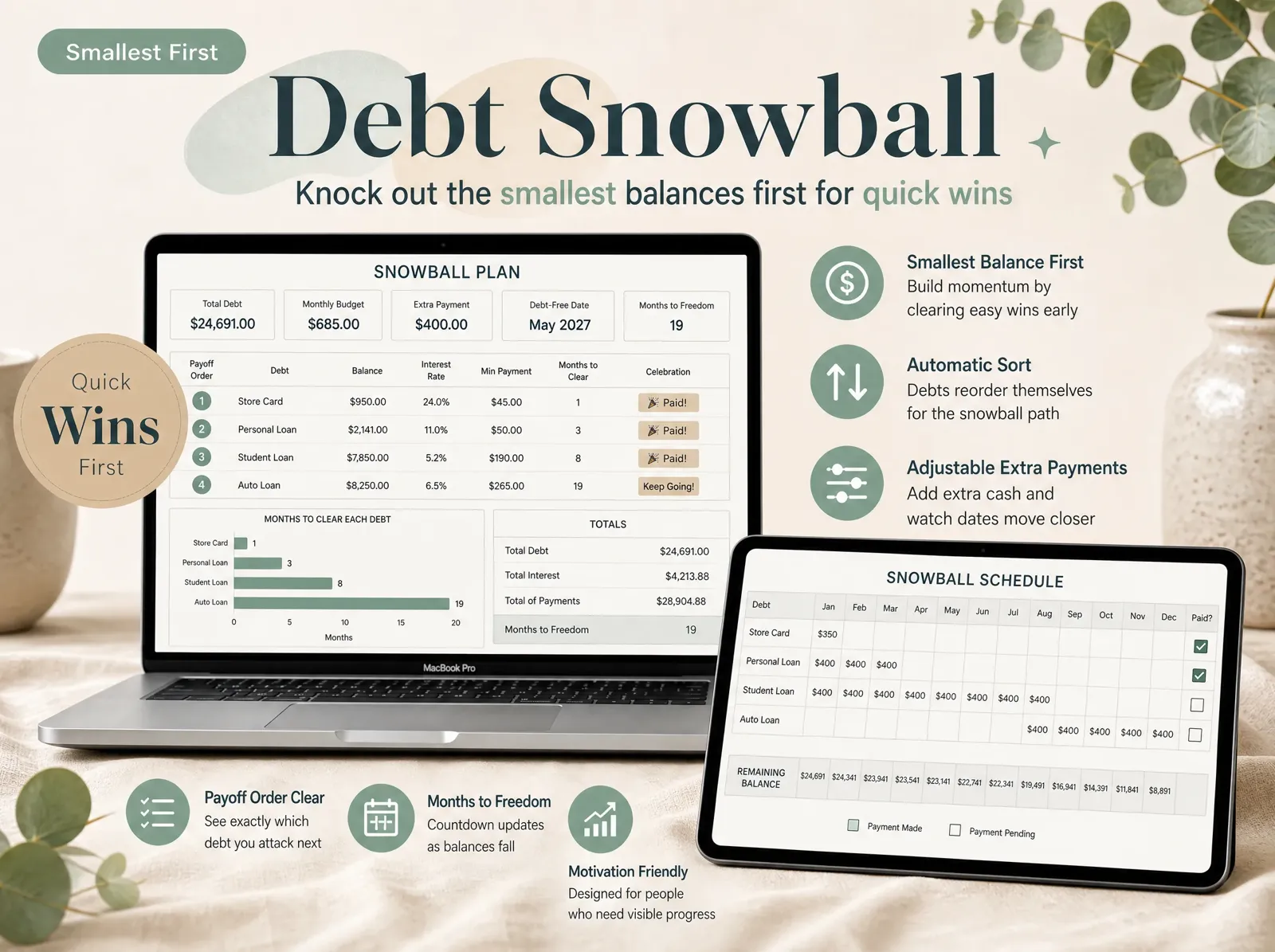
In the sheet: the snowball tab sorts automatically and numbers the payoff order.
Step 4: Set One Extra Payment
Decide the amount above all minimums you can realistically pay every month, even a difficult one. Start lower and increase it later rather than the opposite.
In the sheet: one extra-payment cell; the schedule and debt-free date recalculate from it.
Step 5: Let the Rollover Happen
When a debt reaches zero, keep paying the same total. The freed minimum moves to the next debt on the list. Most homemade sheets get this step wrong, because someone has to remember to change three cells.
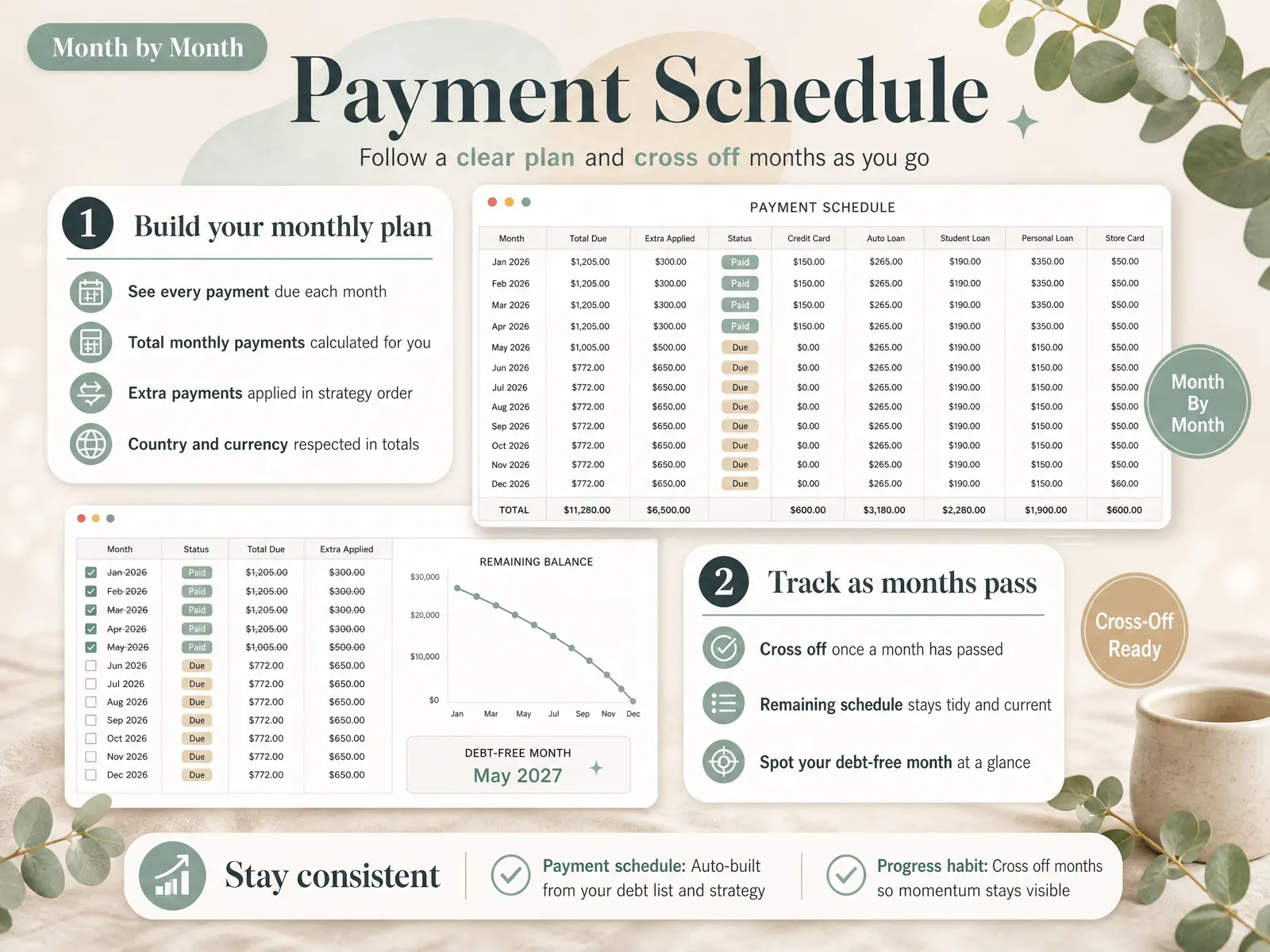
In the sheet: the payment schedule shows each month's amount per debt with the rollover already applied.
Paycheck by Paycheck or Once a Month?
You can do either. What matters is that every minimum is paid by its due date and the monthly total stays the same. It's a common question in debt forums: do you put part of each paycheck toward the smallest balance, or pay it once a month?
Paying part of each paycheck can save a modest amount on credit cards. Issuers generally multiply your average daily balance by a daily rate (your APR divided by 365), as Capital One explains. Money that lands earlier in the cycle lowers that average a little. On a 0% bill or a fixed-rate car loan it usually changes nothing.
Consistency is the bigger risk. Choose the rhythm you'll maintain, and record the month's total in the sheet either way.
What Keeps a Snowball Rolling
The snowball is designed to keep you going, even though it isn't always the cheapest order. Whether it works depends on a few things.
The first win comes fast. In the example, the first debt was gone in month 2. Research Remi Trudel described in Harvard Business Review found people were more motivated when they concentrated on one account at a time. A University of Alberta summary of the study reports those consumers paid down card debt 15 percent faster than people who spread payments equally. The researchers analyzed credit data from 6,000 Americans.
The freed money never returns to the budget. The day a debt is eliminated is the day its payment is most vulnerable. A payment schedule with the rollover already applied makes the new amount visible, so it goes to the next debt.
Closed balances stay closed. A paid-off store card that gets used again returns to the list wherever its new balance sorts, and the date moves.
You update once a month. Enter the new balances, check the month off and review the date.
You get help if the minimums don't fit. Sometimes the minimums alone exceed what you can pay. In that situation, the FTC's guide on how to get out of debt explains how to find a reputable credit counselor.
How We Put This Together
We're the Cosmo Suite team that built the Debt Payoff Planner; you can read about us and how to contact us. The example was calculated month by month on 3 October 2026, with the assumptions shown. Sources were checked the same day under our editorial policy. Your own numbers will give a different date. This is general information only, not financial advice; for your situation, a nonprofit credit counselor (an NFCC member) can help.
How the Debt Payoff Planner Fits In
The setup is the easy part. Keeping the order and the rollover accurate every month is harder, and that's where a homemade sheet usually breaks.
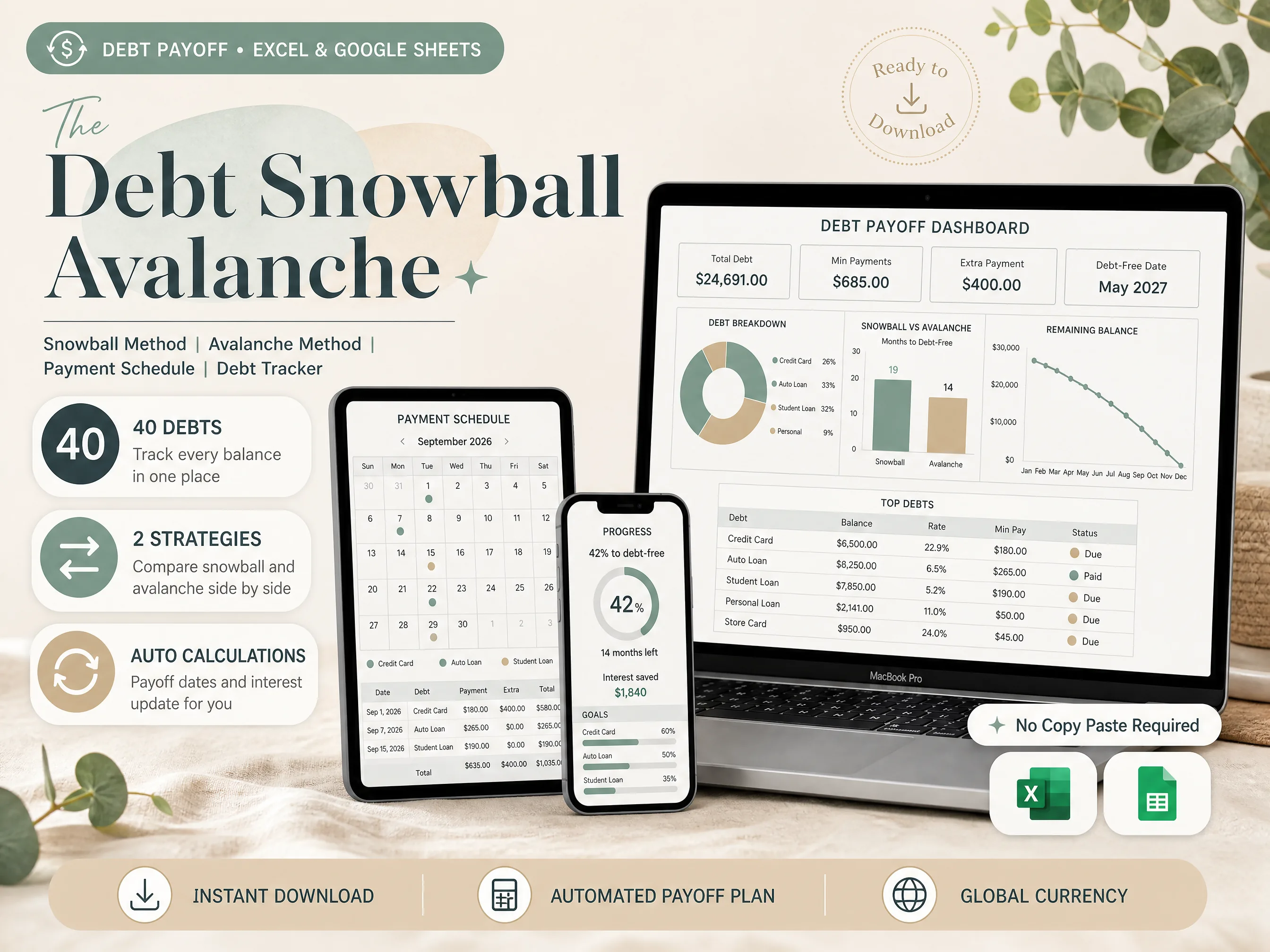
Our spreadsheet tracks up to 40 debts in one file and sorts them for the snowball automatically, with the avalanche order beside it. That way you can see what each method is worth on your numbers. The payment schedule is built and sorted for you, and the interest and debt-free date update as balances fall.
You get both an Excel file and a Google Sheets copy. If you convert an Excel file in Sheets yourself, Google's own help page lists features that don't carry over, such as macros. That's why both versions are included.
For the bigger picture on choosing a sheet, see what a debt payoff spreadsheet needs and how it picks your order. You can also preview every tab of the debt snowball and avalanche spreadsheet before buying.
Frequently asked questions
Should I pay part of each paycheck or pay once a month?
Either works for the snowball, as long as every minimum is paid on time. Paying part of each paycheck can trim a little card interest, since card interest is generally calculated on your average daily balance. Most people find one payment date after payday easier to keep. Track the monthly total either way.
Does a debt snowball spreadsheet work in Google Sheets?
Yes. A snowball sheet is plain arithmetic and sorting, which Google Sheets handles well. You can open an Excel file in Sheets, though some parts of an Excel file change when it's converted. Our spreadsheet ships as both an Excel file and a Google Sheets copy, so nothing needs converting.
What if two debts have almost the same balance?
Put the one with the higher APR first. The snowball is about early wins, and when two balances are within a few hundred dollars of each other, the win comes at about the same time either way. Choosing the higher rate between near-twins costs you nothing and saves a little interest.
Should a 0% medical bill go first in the snowball?
It can. A small 0% bill is often the fastest win on the list, and closing it frees its payment for the next debt. In our example it went first and was gone in month 2. An avalanche order would leave it to run down on its minimum, so run both orders and compare.
Sources
- Capital One: How Does Credit Card Interest Work?
- Google Docs Editors Help: Work with Office files
- Harvard Business Review: Research: The Best Strategy for Paying Off Credit Card Debt (Remi Trudel, 2016)
- University of Alberta Folio: The secret to paying off credit card debt (January 9, 2017)
- Federal Trade Commission: How To Get Out of Debt